Intersensa
A spatial haptic design plugin for the Interhaptics ecosystem, enabling game designers to create multi-directional haptic patterns without coding. Built for Razer's Project Esther technology, Intersensa brings a visual, timeline-based interface to haptic design — similar to how audio software works.
Role
UX/UI Designer
Team
2 Designers + 2 Researchers (Razer collaboration)
Duration
4 months

My responsibilities:
– UX research & competitive analysis (spatial audio tools, haptic systems)
– Experience design & user journey mapping
– Low-fidelity wireframes & interaction prototypes
– High-fidelity UI design in Figma (Interhaptics design system)
– Usability testing with HCI students (N=10)
Project overview:
Multidirectional haptics are here — but how do game designers actually design them? Unlike traditional haptic devices limited to one-dimensional feedback, Razer's Project Esther technology enables tactile sensations that vary in intensity, speed, duration, and spatial direction. The problem: creating these complex haptic interactions requires significant coding effort, and achieving consistency across devices is difficult. Intersensa is a plugin built for the Interhaptics ecosystem that lets designers create multidirectional haptic patterns through a visual interface — no days of coding required. Think of it like audio design software, but for haptics. The project was a collaboration with Razer during the simultaneous development of the underlying technology, requiring a Research Through Design (RtD) approach.
The design challenge:
Game designers face a steep barrier to entry with multidirectional haptics: coding complex spatial interactions is time-consuming, the technology is new with no established design patterns, and ensuring consistency across diverse hardware is challenging. The goal was to create the simplest possible interface that could handle a wide variety of gaming scenarios — from a sword slash in an action game to environmental feedback in a racing simulator. The challenge was designing for a technology being developed in parallel, meaning we had to explore ideas through iteration and testing rather than following a fixed specification. We needed to balance power and flexibility with ease of use, avoiding the distraction-heavy interfaces common in professional audio tools while still offering precise control.
Research & competitive analysis:
We began with extensive desk research on spatial audio software (which shares conceptual similarities with spatial haptics), existing haptic creation tools, and the Interhaptics ecosystem. We analyzed competitor pain points: overly complex interfaces, steep learning curves, lack of real-time preview, and poor cross-device compatibility. We also studied 3D audio tools to understand how designers think about spatial positioning and timeline-based editing. This research informed our core insight: haptic design should feel familiar to anyone who's used audio editing software — with a timeline, keyframes, and a spatial viewport. The research phase also involved understanding gaming scenarios where multidirectional haptics add value, from combat feedback to environmental immersion.
Experience design & use cases:
To create an efficient and seamless interaction, we started by defining gaming scenarios: a sword cut that travels across the player's body, footsteps approaching from behind, an explosion's shockwave radiating outward, or a racing car's engine vibration shifting with steering. Each scenario informed the features we needed: spatial positioning (where on the body), intensity control (how strong), duration (how long), and temporal sequencing (when). The motivation was simplicity — give users the minimum viable interface that can achieve maximum scenario coverage. These use cases directly shaped our layout decisions, prioritizing the 3D viewport (for spatial positioning) and timeline (for temporal control) as the two primary interaction surfaces.
Sketches & wireframes:
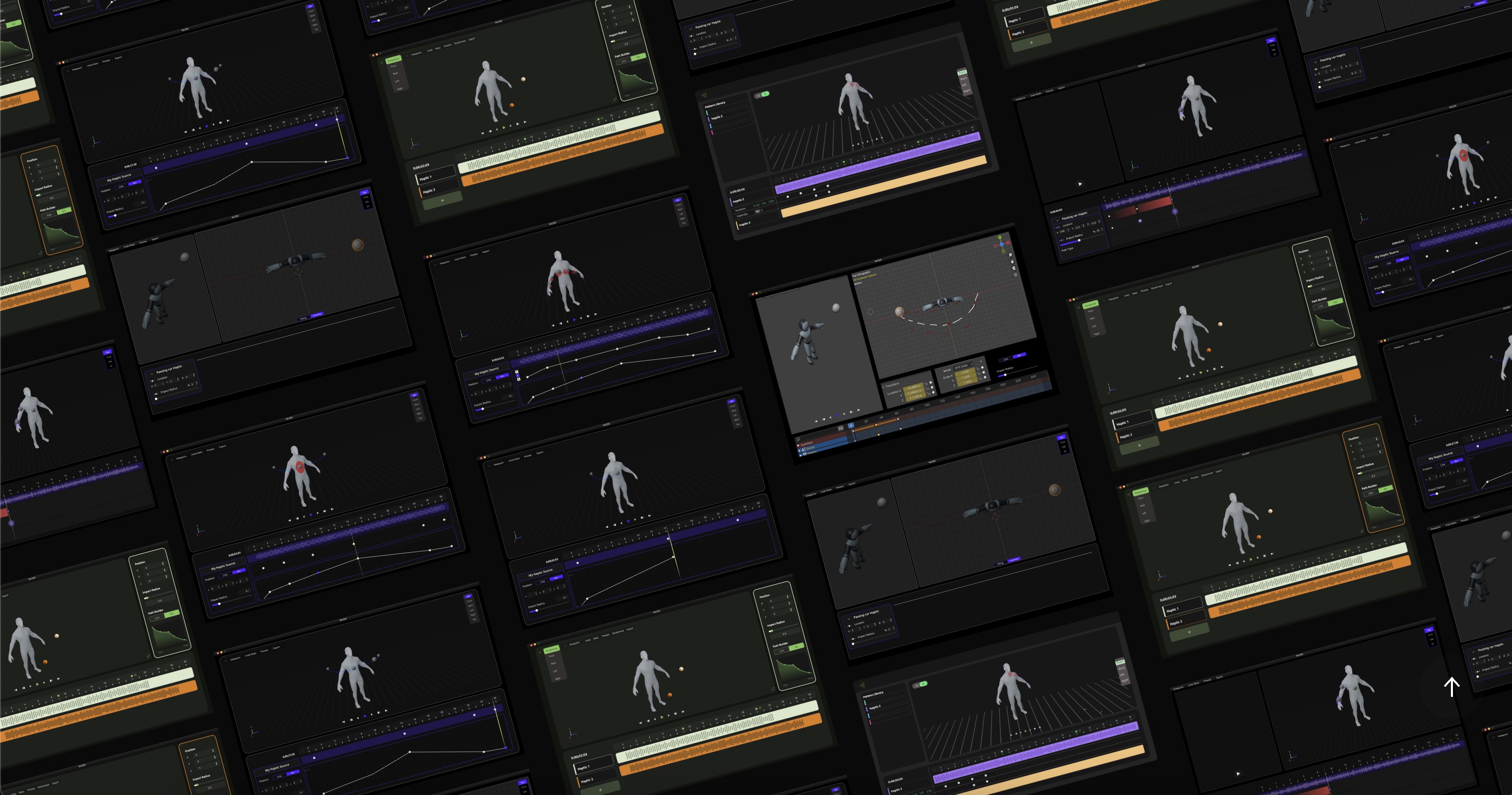
The design process moved to low-fidelity sketches to accelerate decision-making through visualization. We explored multiple layout configurations, always checking against our primary goal: reduce cognitive load, avoid distraction, make interactions self-explanatory. Between multiple sketch iterations, we selected concepts that required less learning and had interactions that spoke for themselves. We then translated these sketches into wireframes in Figma, combining keyframing (timeline-based editing), a 3D viewport (spatial positioning), and settings panels (intensity, duration, device mapping). These wireframes were refined through numerous meetings with the Razer team and internal testing, creating a clear roadmap for the user journey and guiding high-fidelity prototype development.
UI design & iteration:
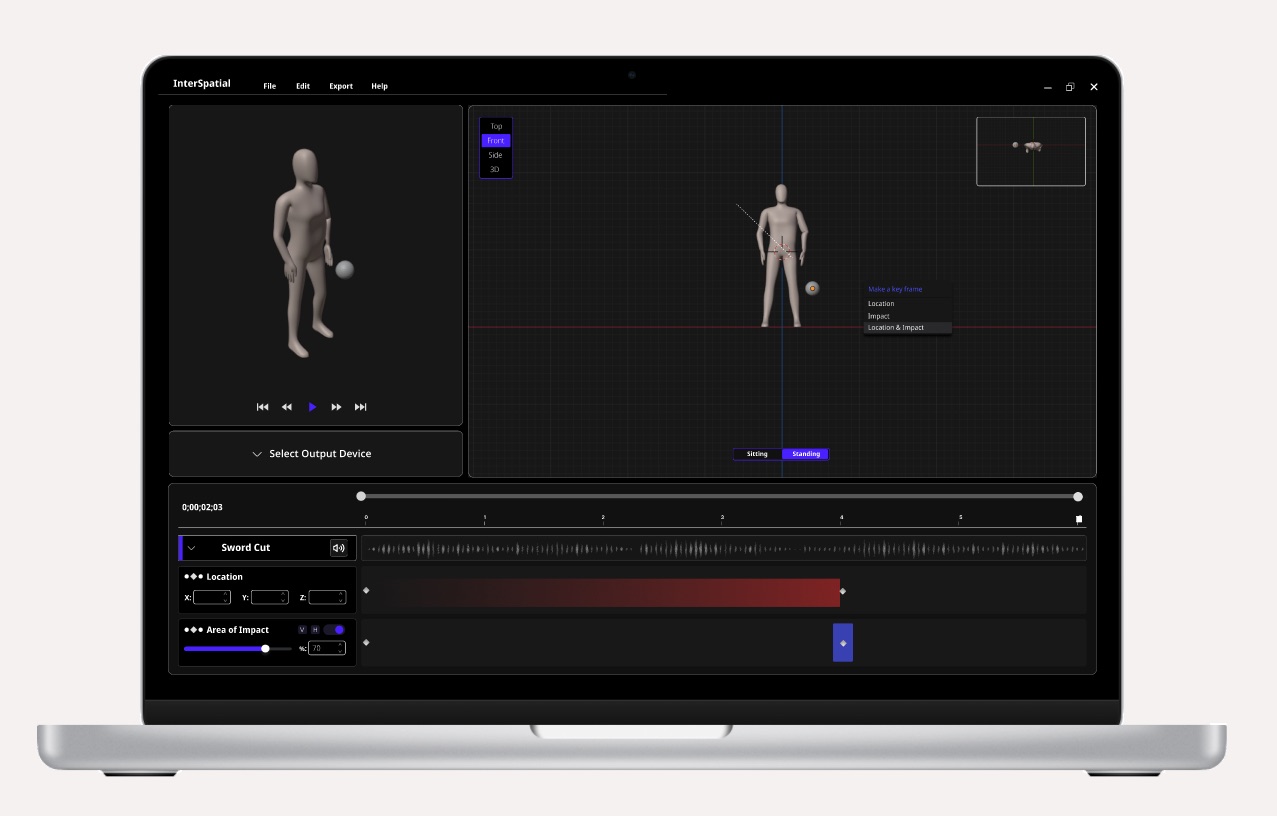
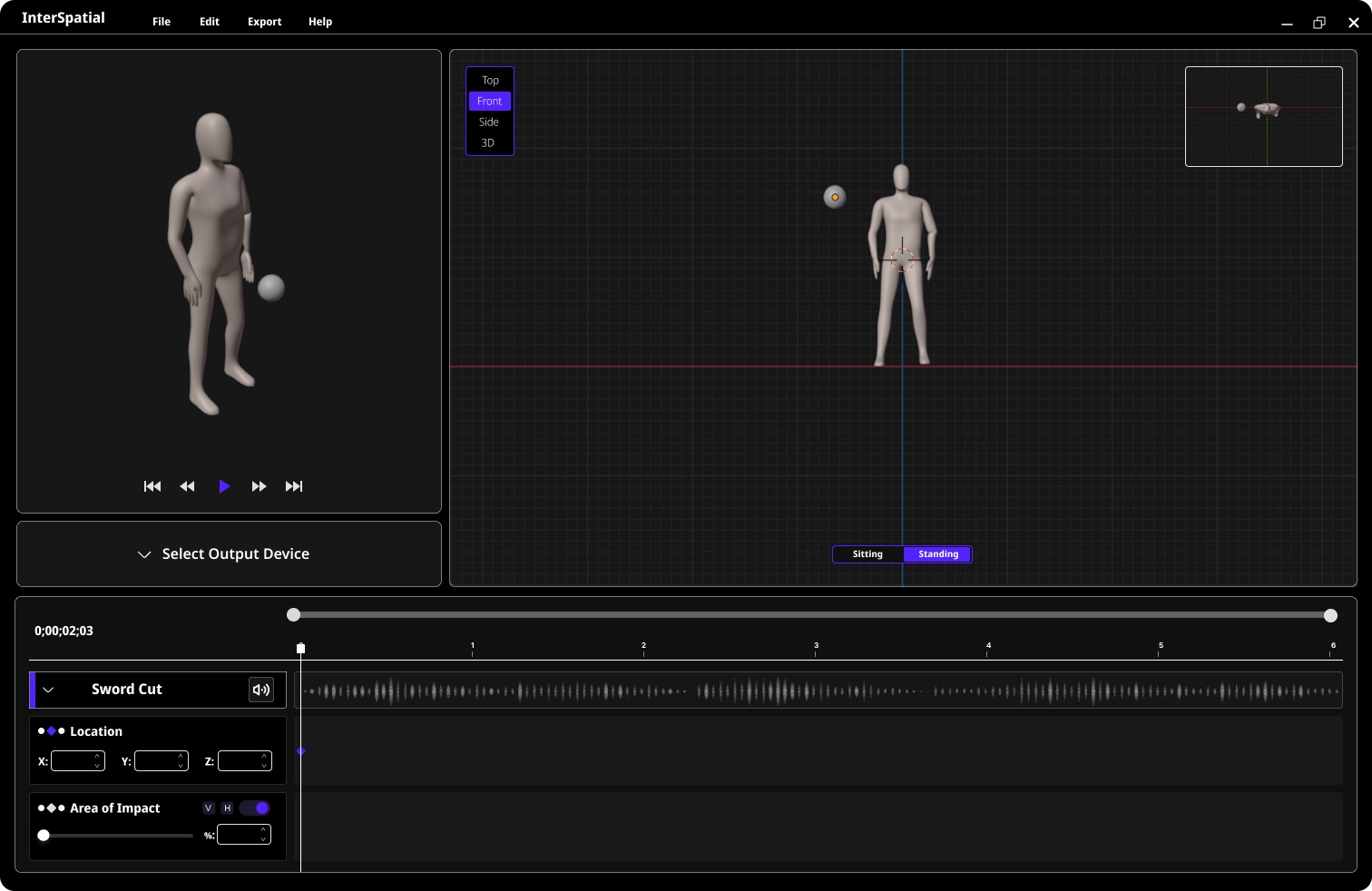
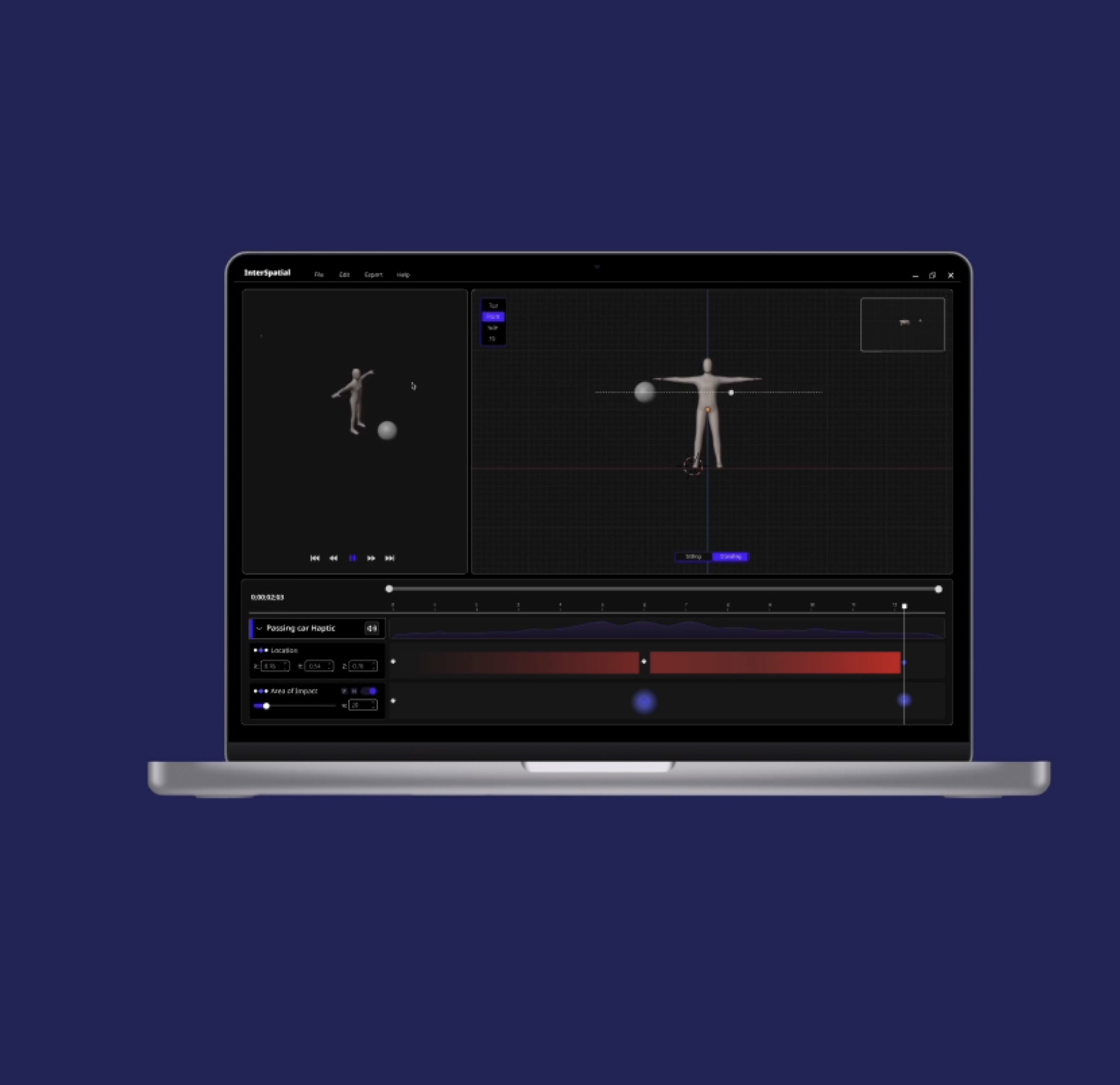
The interface design was heavily iterative. We followed Interhaptics' style guidelines to maintain a consistent design language but made independent decisions about functionality and layout. My goal was creating a visual identity aligned with Interhaptics while ensuring the interface seamlessly supported the user journey. The key interactions became: adjusting location and impact area through the 3D viewport, and controlling timing and intensity through the timeline. The biggest challenge was blending the 3D viewport with the timeline and keyframe settings without overwhelming the user. We constantly returned to the principle: leave behind ideas that aren't clear enough, move forward with the most viable features. The final design balances professional-grade control with approachability.
Usability testing (N=10):
We conducted a workshop with 10 HCI master students, presenting Intersensa through a product demonstration video featuring three game scenarios: a sword cut, approaching footsteps, and an environmental explosion. Participants were interviewed about their opinions, experiences, and feature requests. Each participant helped us identify unclear elements in the prototype and common usability issues. We coded each interview transcript and used thematic analysis to extract findings. The main issues pointed to visualization problems on the timeline — specifically, how value changes for impact area and intensity were communicated. Participants wanted clearer visual feedback when adjusting spatial parameters and better indication of how haptic patterns would feel across different body zones. These findings directly informed the final design refinements.
Final design & outcomes:
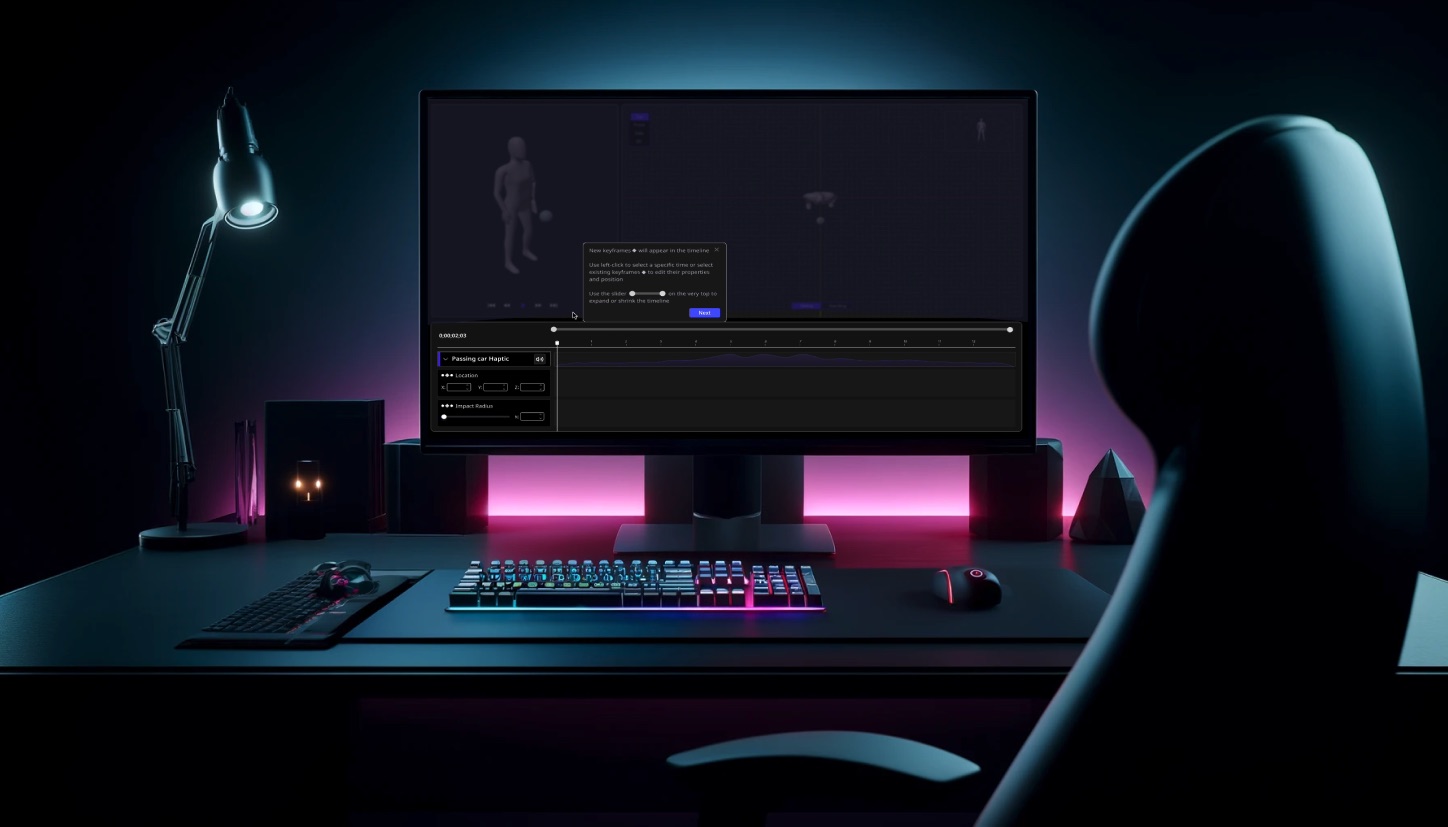
The final design emphasizes clarity and ease. The interface is organized into three zones: the 3D viewport (left) for spatial positioning on a body model, the timeline (bottom) for keyframe editing and temporal control, and the settings panel (right) for intensity, duration, and device-specific parameters. Users can scrub through the timeline to preview how haptic patterns evolve, adjust spatial impact zones by clicking and dragging on the body model, and set keyframes to create complex multi-directional sequences. The design language values the creation of multidirectional haptics and communicates each functionality clearly without visual clutter. Every element was tested against real gaming scenarios to ensure practical utility.
Impact & next steps:
Interhaptics is planning to produce Intersensa in 2025–2026. The project demonstrates that complex spatial haptic design can be made accessible to game designers without requiring deep programming knowledge. By borrowing interaction patterns from familiar tools (audio software, animation timelines, 3D modeling viewports), Intersensa lowers the barrier to entry for an emerging technology. The design supports Razer's vision of bringing multidirectional haptics to mainstream gaming, providing the creative tools needed to unlock the technology's potential. Future development will focus on real-time device preview, expanded device libraries, and integration with game engines like Unity and Unreal.
Next project